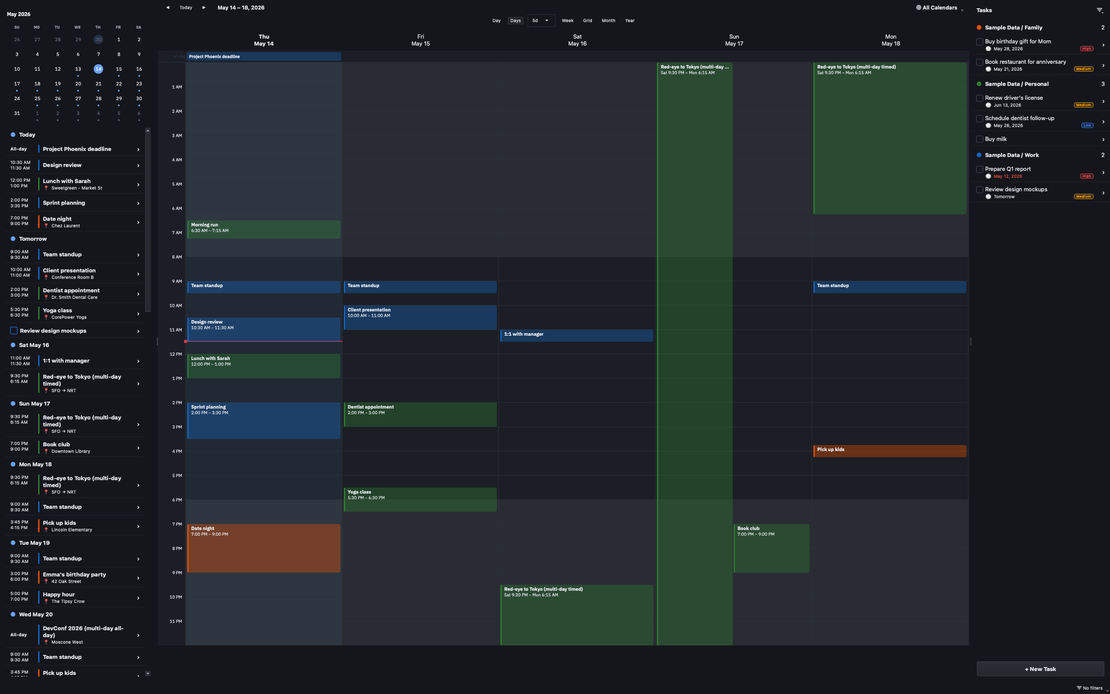
Version 1.3.0 is the biggest update to tasks and to-dos since Caffeinated Calendar launched. If you use the app to track what you need to do, not just when things happen, this is the release that makes that side of it feel finished. There are also real reliability fixes to sync and a noticeably faster startup.
This release also includes the brand new desktop version of Caffeinated Calendar with features aligned to the mobile app. It is a native desktop application that includes system tray features, hotkeys for navigation and view switching, and a brand new grid view.
Tasks got a major upgrade
Tasks in Caffeinated Calendar were always first-class CalDAV to-dos that live next to your events. In 1.3.0 they got huge improvements.
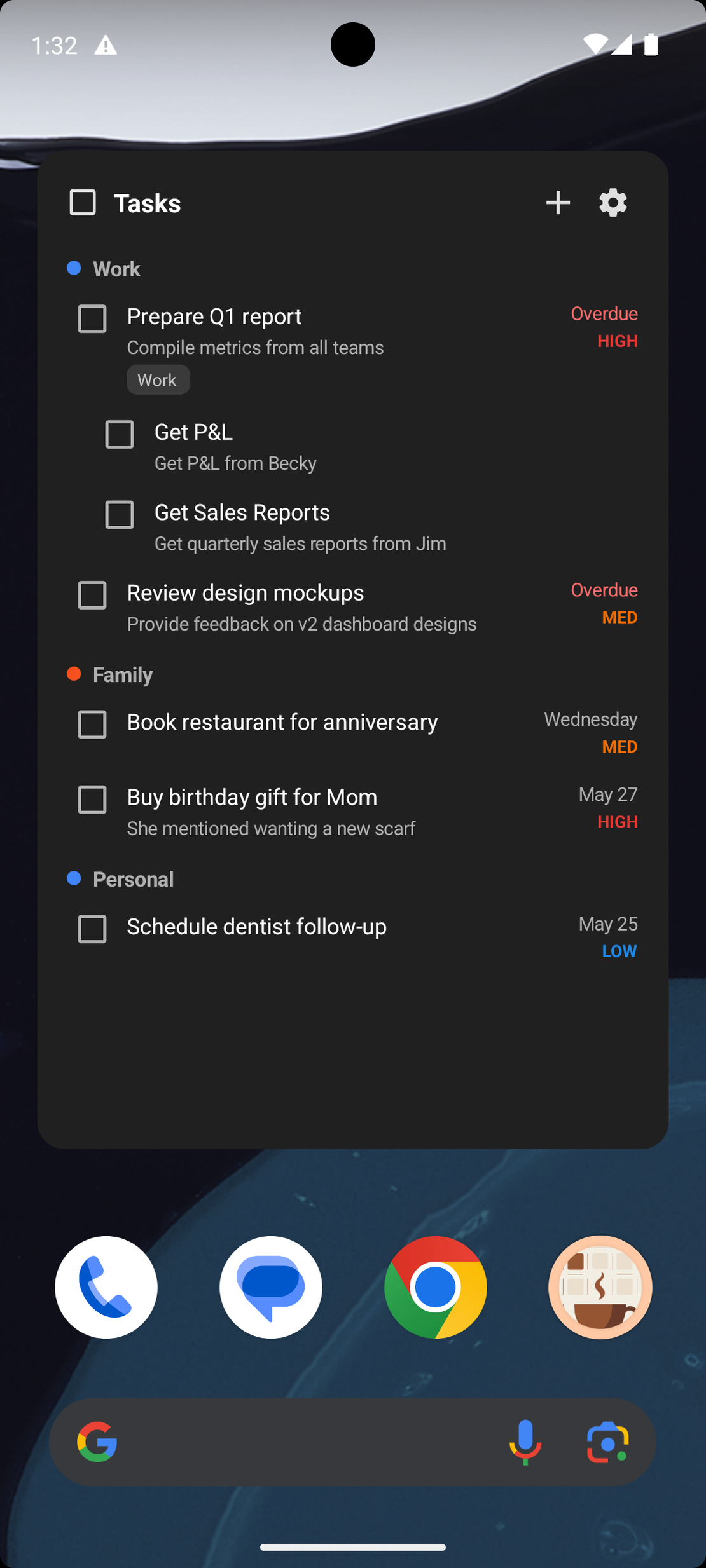
- Nested subtasks. Break a task into subtasks, drag to reparent, and drag to reorder. The hierarchy is real, not cosmetic: it now shows correctly nested in Tasks.org and other CalDAV clients too, so your structure travels with you.
- A home-screen Tasks widget. Check things off without opening the app. The checkbox is a native, instant tap, with a short undo window so a mis-tap is not a problem.
- Manual ordering that persists across devices. Drag tasks into the order you want and it sticks, everywhere. Automatic sorting still applies anywhere you have not arranged things by hand, so you only manage the order you care about.
- In Progress and Cancelled badges. Set a task’s state with a long-press or right-click. The badge sits next to the priority pill so you can see status at a glance.
- Recurring tasks roll forward on completion. Finish a recurring task and the next one is scheduled automatically. There is also an optional “Repeats from completion date” mode for chores where the next cycle should start from when you actually finished, not when it was due.
- The small stuff that matters daily. Pull-to-refresh, “Hide completed”, “Show Description”, and “Show Category” toggles, and a consistent square completion checkbox everywhere tasks appear.
Sync got more reliable
Several bugs were fixed with sync as well, both on on the connected calendars and the Caffeinated Account Sync.
- Recurring events on CalDAV now keep their full schedule. Editing a single occurrence used to wipe out the rest of the series. That is fixed.
- Completing a task or saving an event no longer waits on the network, making it look like it wasn’t completed. The UI updates immediately and the save happens in the background, so the app stays fast even on a slow connection.
- Marking a task complete now reliably reaches the server, even if done offline. When you’re back online, the update happens correctly in the background.
- Hidden and deactivated calendars actually stop syncing instead of simply not displaying.
- Calendars from your other devices show up the moment you sign in, with a clear “Sign in to sync” badge for the ones that still need authentication. Cross-device sync of your Caffeinated configuration is part of a Caffeinated subscription; the app itself stays free.
- Deleting a filter, Calendar Group, or event template on one device now removes it on every device. This also rides Caffeinated account sync.
Polish
- When a save fails, the error tells you what actually went wrong, with a Copy button so you can paste it straight into a bug report.
- Single-day all-day events stay on their own day in week and month views instead of bleeding across.
- “Calendar Views” is now “Calendar Groups,” the same name used everywhere else, including the comparison pages.
- “Rate Caffeinated Calendar” now lives in Settings under About, out of the way until you go looking for it.
- Every date and calendar selector now respects your preferred week start day
- Every display now resepects your AM/PM or 24 hour time preference
Widgets
- iOS widgets are now in line with Android widgets, including the 3/5/7 day grid view
- On Android, widgets now respect your device theme
- The 5-day widget rolls forward from today rather than snapping back to your configured week start.
Faster startup
Startup is noticeably quicker. Your calendar appears immediately and sync runs in the background, so opening the app no longer means waiting on the network before you can see your day.
Now on Windows, macOS, and Linux
Caffeinated Calendar is no longer mobile-only. Native desktop apps for Windows, macOS, and Linux are available now, with the same filtering, Calendar Groups, and tasks you have on your phone. If you have been waiting for a real desktop version, this is it.
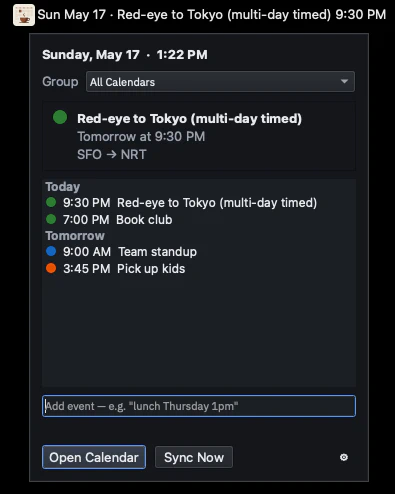
The desktop build is a real native app, not a web wrapper. It lives in the menu bar (or system tray) for a glance at your day without switching windows, supports hotkeys for navigation and view switching, and brings the same filtering, Calendar Groups, and tasks across with it.
Grab any platform from the download section below, and if you are weighing Caffeinated Calendar against another app, the honest comparisons cover where it wins and where it does not.