Version 1.3.4 follows up on the v1.3.2 release with a new kind of item, two views that move from desktop to phone, a smarter Quick Add, and more control over text size.
Reminders (Desktop, iOS, Android)
- Reminders are a new kind of item, separate from events and tasks: something you want to be reminded about at a set time. They have their own screen and stay out of your task list and calendar grid.
- A reminder notification can be snoozed for 10 minutes, an hour, or a day without opening the app.
- Reminders can be organized with tags.
New ways to see your week (iOS, Android)
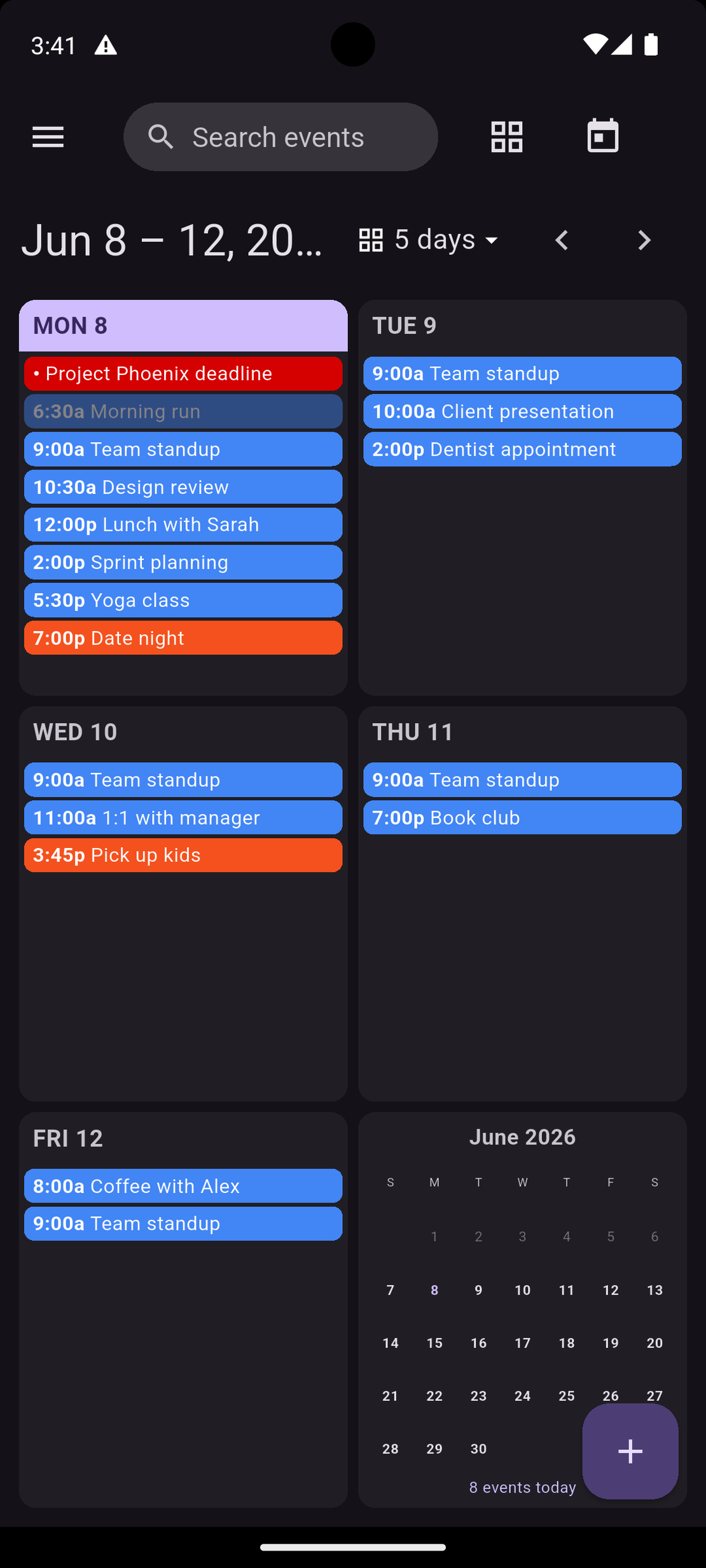
- Two views from the desktop are now on the phone. Grid shows the week as a set of day cards with a mini-month.
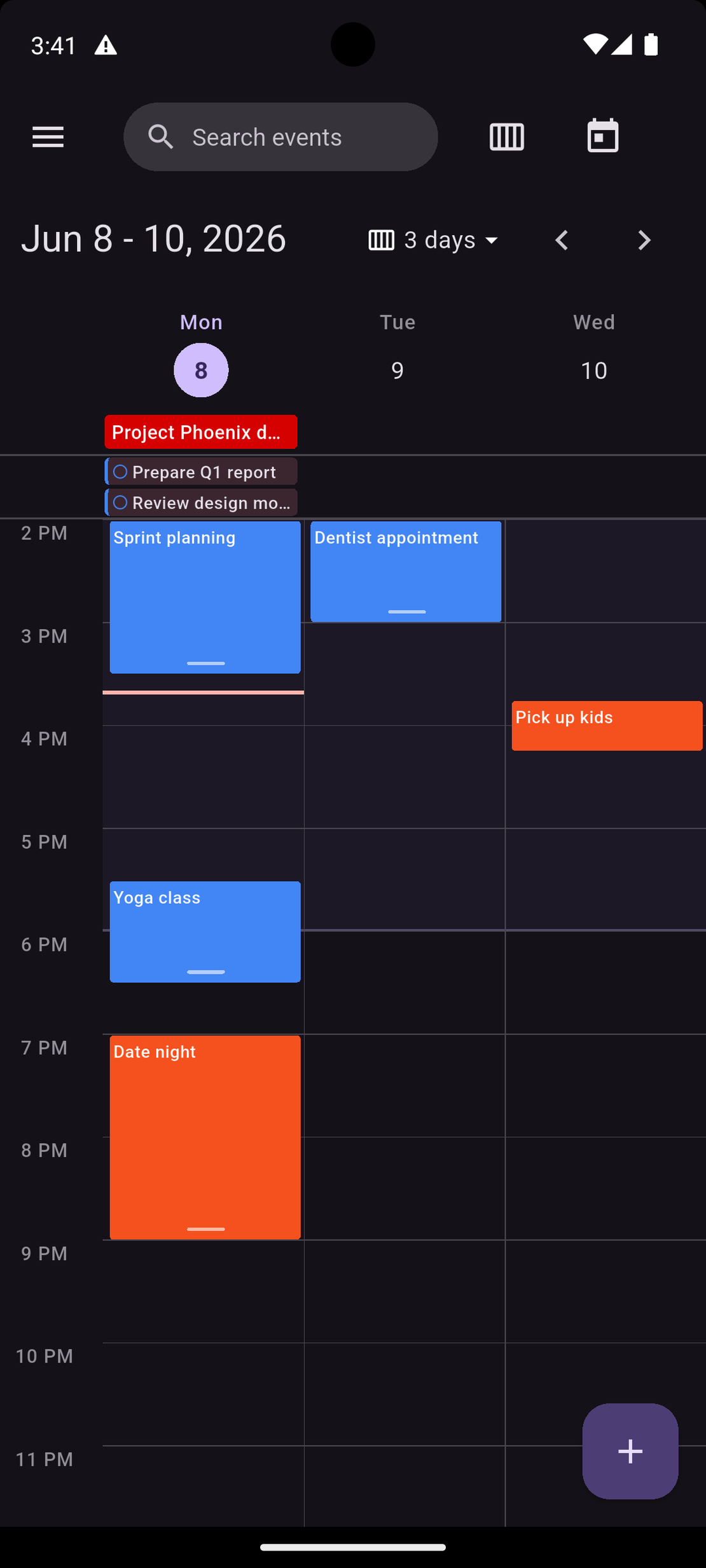
- Days is a multi-day timeline you can set to 2, 3, 5, or 7 days.
Quick Add creates reminders and to-dos (Desktop, iOS, Android)
- Quick Add now creates reminders and to-dos, not just events, based on what you type. “Remind me to call the dentist Friday at 2” creates a reminder, “task: pay rent” creates a to-do, and text with a date or time becomes an event.
- Text with no date or time, like “buy groceries”, becomes a to-do rather than an event.
- Hashtags (#work) are saved as tags.
Choose your font size (Desktop, iOS, Android)
- A new Font size setting scales the whole app from Small to X-Large, on top of your system text size.
Fixes
- A CalDAV calendar that arrived without a color of its own could be left with no color at all, which showed up as unreadable text in the home-screen widgets. These calendars now fall back to a default color. Thanks to yarodin for helping to track down the cause.
Got an idea or a bug to report? The public feedback portal at feedback.caffeinatedsoftworks.com is the best place to drop it.